通知提醒设置
在 Live Chat 页面左上角点击设置图标,显示如下图所示:
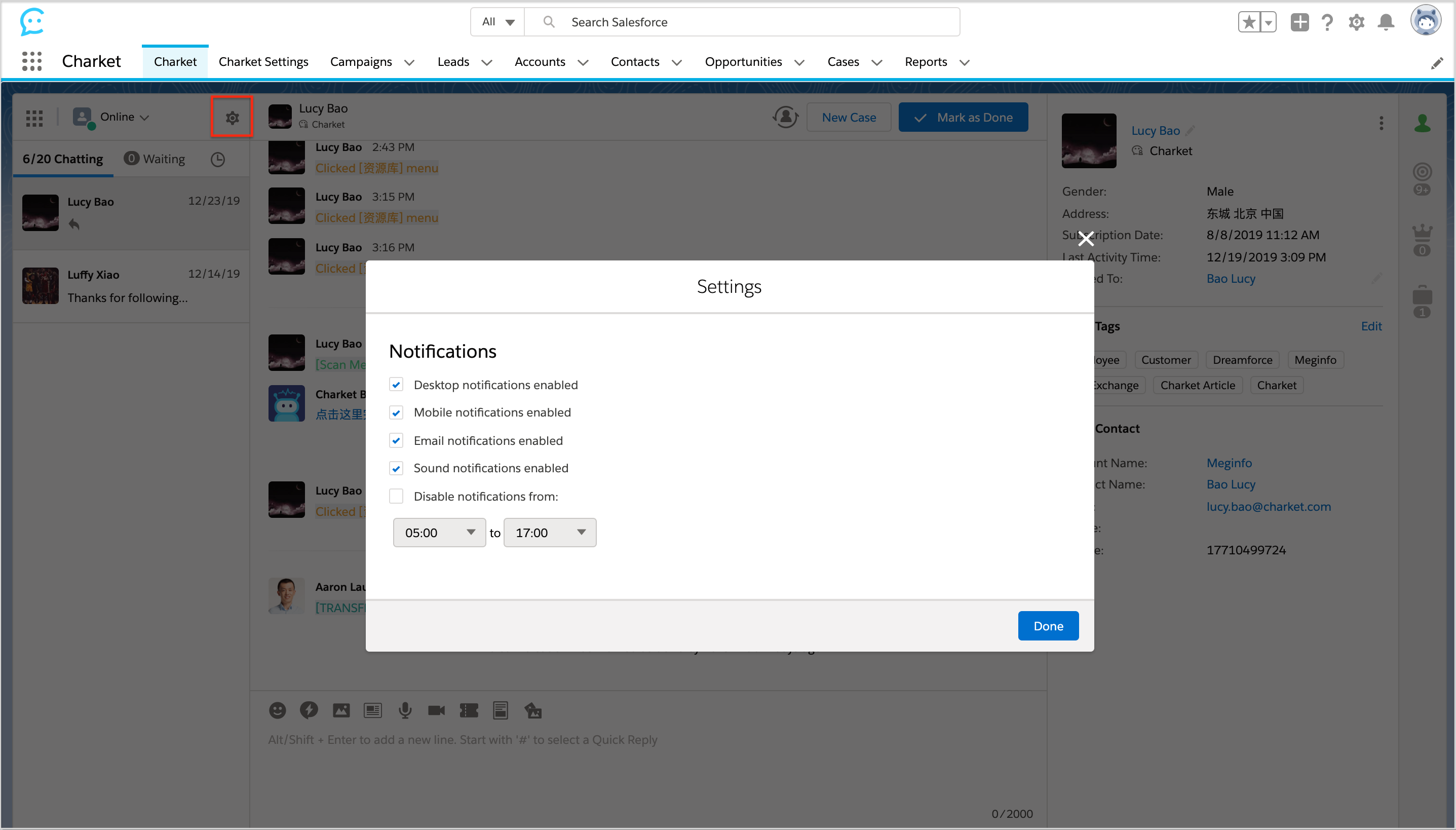
Note: Notification Settings 里面的多选框都是在值改变的时候去请求服务端,对应行的 loading 图标消失表示请求成功,因此无需再点击【Done】按钮修改就已经生效。
- Desktop notifications enabled:启动浏览器提醒通知。
- Mobile notifications enabled:启动移动端提醒通知。
- Email notifications enabled:启动邮件提醒通知。
- Sound notifications enabled:启动新消息进来时的声音提醒。
- Disable notifications from::在该时间段内不接收以上提醒通知。