Pardot 中使用 Charket 数据(可选)
如果需要在 Pardot 中显示和使用 Charket 中的相关数据,可以通过 Pardot 的自定义对象功能来实现该需求,具体的可以参考 Pardot 的配置说明。
下面通过配置 WeChat Follower Custom Object,让微信公众号关注者数据显示在对应的 Prospect 详情页面。
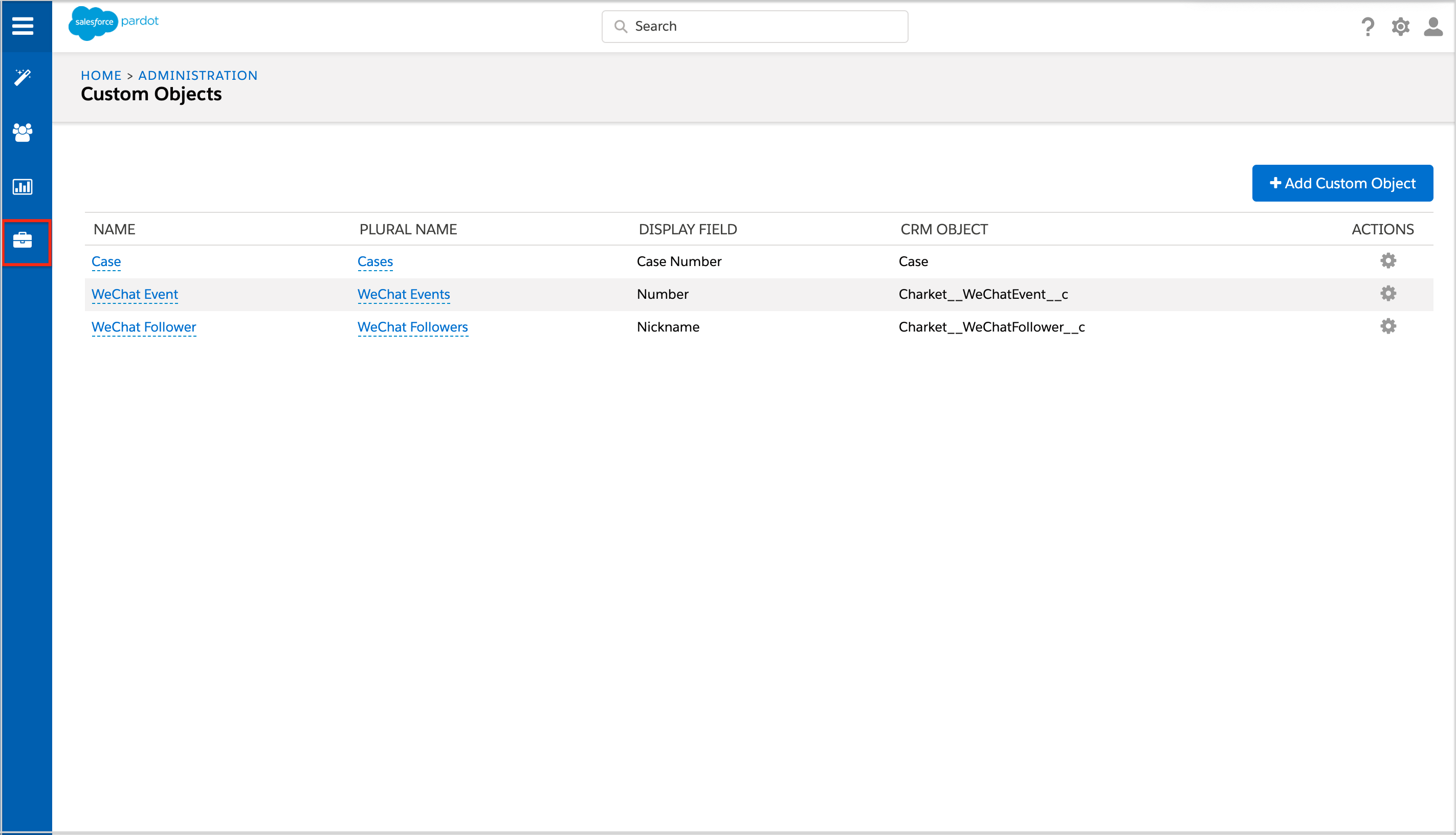
1. 创建 WeChat Follower Custom Object。
在 Pardot 中创建 WeChat Follower 关联的 Custom Object。
- 点击 Admin-> Custom Objects。
- 点击 + Add Custom Object。
- 在 CRM Object picklist 中选择 Charket__WeChatFollower__c。
- 输入 Display Name 和 Plural Display Name。
- 选择对应 Display Field。
- 点击 Create custom object。
2. 设置在列表中显示的 Fields。
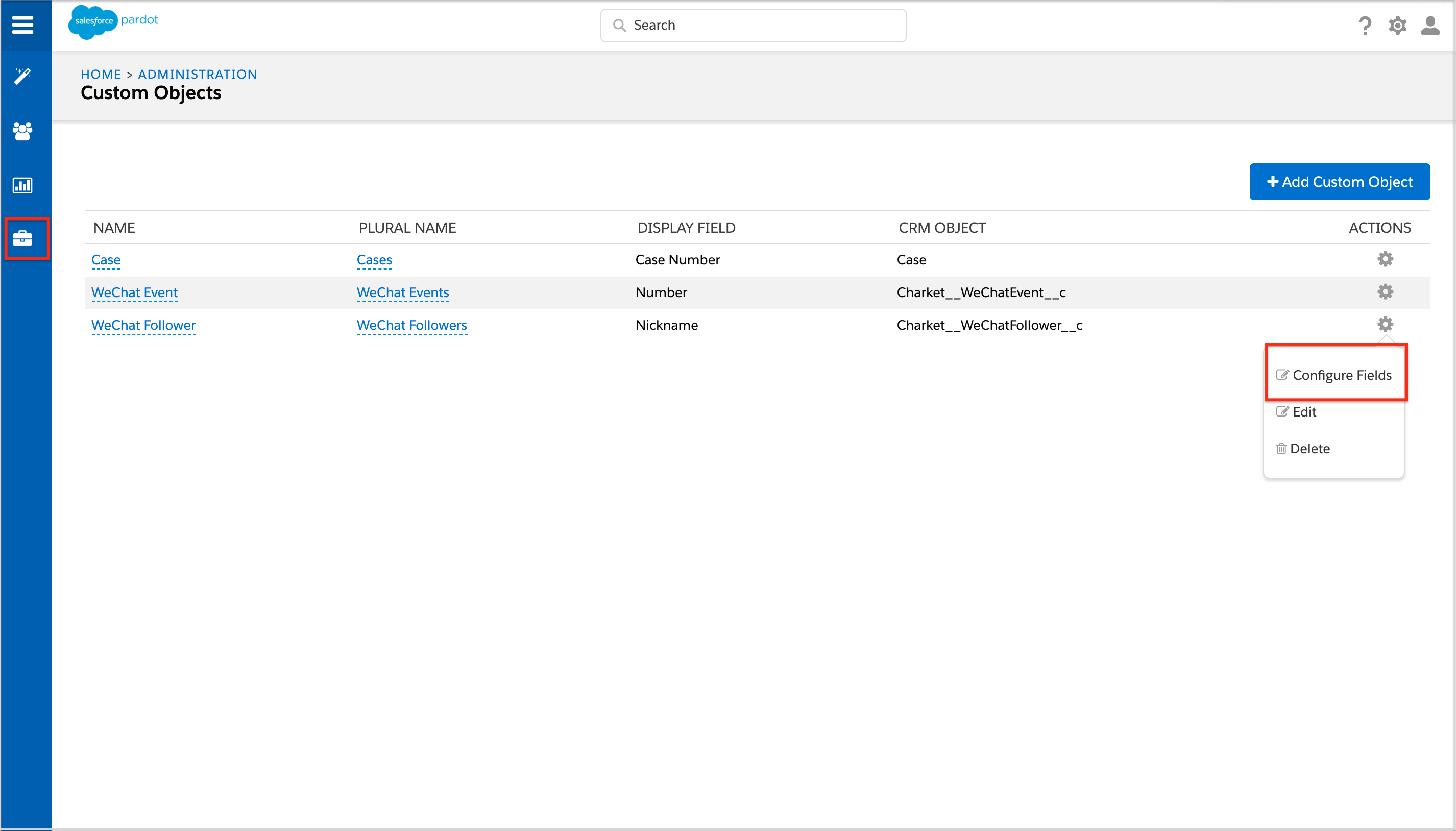
在 Pardot 中为创建的 WeChat Custom Object 设置在列表中显示 的 Fields。
- 点击 Admin -> Custom Objects。
- 在相应的 Custom Object 下点击 Configure Fields。
- 在 DISPLAY IN TABLES 列选择需要显示的 Fields。
Note: Charket Objects 与 Pardot Custom Objects 建立关联以后,Charket Objects 会根据关联的 Lead / Contact 自动同步到 Pardot Prospect 关联的对象。